
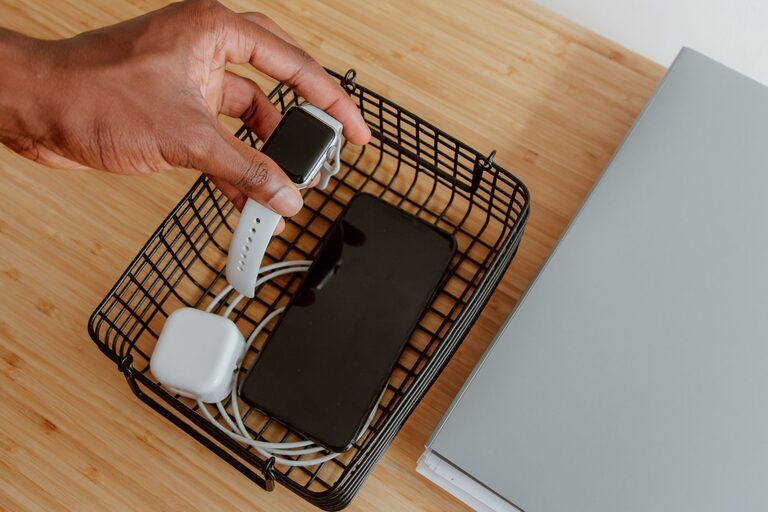

Setting up a dedicated charging station for your devices can save time, reduce clutter, and keep your gadgets ready to go. Whether you have smartphones, tablets, smartwatches, or wireless earbuds, a well-organized charging area helps you manage multiple devices efficiently. This guide walks you through the essentials of creating your own charging station, tailored to your space and needs.
Why Set Up a Charging Station?
With so many devices requiring power daily, charging cables and adapters can quickly become a tangled mess. A charging station:
– Keeps cables and devices organized in one place
– Prevents lost or misplaced chargers
– Reduces clutter on desks or countertops
– Allows multiple devices to charge simultaneously
– Helps maintain the health of your device batteries by avoiding overcharging (when using smart chargers)
Choose the Right Location
Selecting the right spot for your charging station is important. Consider these factors:
– Accessibility: Place it where you and your family or colleagues can easily reach it.
– Power Source Availability: Ensure enough power outlets are nearby to plug in chargers or power strips.
– Safety: Avoid damp areas or spots exposed to direct sunlight to protect your devices.
– Ventilation: Some devices generate heat while charging; a well-ventilated space helps prevent overheating.
Common locations include a desk, kitchen counter, nightstand, or a designated area in the living room.
Gather Essential Supplies
Before building your station, collect the following items:
– Charging Hub or Multiple USB Charger: Choose one that matches the number of your devices. Look for models with fast-charging capabilities and safety features like surge protection.
– Power Strip: If outlets are limited, a power strip with surge protection is handy.
– Cable Management Tools: Cable clips, cable ties, or a cable organizer box help keep cords neat.
– Storage Container or Stand: Depending on space, you can use a small box, tray, or a specially designed charging station stand.
– Labels (optional): Useful if multiple people share the charging station to identify device cables.
Setting Up Your Charging Station
Step 1: Declutter and Prepare the Area
Clear the chosen space of unnecessary items. Clean the surface and make sure it’s free from dust or moisture.
Step 2: Arrange Power Sources
Plug your power strip into the wall outlet. Then connect your charging hub or multiple USB charger into the power strip. Position these items so cords don’t create a tripping hazard or look messy.
Step 3: Organize Charging Cables
Use cable organizers or clips to route each charging cable neatly. Secure cables behind or alongside the station to avoid tangling. The goal is to have cables ready to plug in without overlapping.
Step 4: Place Device Holders or Containers
Position holders, trays, or boxes where devices can rest while charging. If your charging hub has built-in stands, arrange devices accordingly. For smaller devices like earbuds, include a small container to keep them from falling.
Step 5: Label and Personalize
If multiple people will use the station, label the ports or cables with names or device types. Personalizing encourages regular use and helps prevent mix-ups.
Tips for Maintaining Your Charging Station
– Regular Cleaning: Dust and wipe down the station weekly to keep it tidy.
– Check Cables for Damage: Replace any frayed or damaged cords promptly to avoid hazards.
– Update Chargers if Needed: Technology evolves; investing in chargers with newer standards like USB-C Power Delivery can speed up charging times.
– Avoid Overloading Outlets: Be mindful not to plug too many high-powered devices into one power strip.
Optional Upgrades
If you want to enhance your charging station further, consider:
– Wireless Chargers: For compatible devices, wireless charging pads reduce cable clutter.
– Smart Power Strips: These can turn off power to devices when fully charged to save energy.
– Built-in USB Ports in Furniture: Some desks and tables come with integrated charging ports for sleek setups.
– Decorative Elements: Add a small plant or decorative item to make the station visually appealing.
Conclusion
Creating a charging station is a simple project that brings order to your device charging routine. By choosing the right location, gathering needed supplies, and organizing thoughtfully, you can keep your gadgets powered and your space neat. Start small and adjust your setup as your charging needs grow—your devices (and your peace of mind) will thank you!