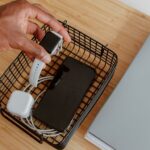


Keeping cables and chargers organized can transform your workspace or living area from chaotic to calm. Whether you have a desk full of electronics or a drawer cluttered with cords, a simple system will help you find what you need quickly and extend the life of your devices. In this guide, we’ll explore practical methods to organize cables and chargers neatly using affordable tools and smart habits.
Why Organizing Cables and Chargers Matters
Messy cables not only look unattractive but can also create safety hazards like tripping or overheating. Tangled cords can lead to fraying and damage, reducing their lifespan. When cables are well organized, you save time finding the right charger, reduce clutter, and protect your expensive gadgets.
—
Step 1: Gather and Sort Your Cables
Start by collecting all cables, chargers, and power adapters from around your home or office. Don’t forget the ones in drawers, bags, or behind electronics.
– Sort by type: Group USB cables, power cords, HDMI cables, and chargers separately.
– Sort by device: If you prefer, arrange cables by the device they belong to — phones, laptops, cameras, etc.
– Discard damaged or unused cables: Safely recycle frayed or obsolete cables to reduce clutter.
—
Step 2: Label Your Cables for Easy Identification
Labeling cables saves time and confusion, especially when you have multiple similar-looking cords.
– Use small adhesive labels or masking tape strips.
– Write down the device name or purpose clearly.
– For a reusable option, consider color-coded cable ties or tags.
—
Step 3: Choose the Right Cable Management Tools
Several affordable tools make organizing cables easier. Here are some popular options:
Cable Ties and Velcro Straps
Reusable and adjustable, these help bundle cables neatly without damaging the wires.
Cable Clips and Holders
Attach these to desks or walls to keep cables from slipping off or tangling.
Cable Sleeves and Tubes
Ideal for grouping multiple cables together, making the look clean and streamlined.
Drawer Organizers and Boxes
Use compartments to store chargers and cables in drawers, reducing mess.
Charging Stations
Dedicated charging hubs help keep all your device chargers in one spot without loose cords everywhere.
—
Step 4: Organize Your Charging Area
Having a dedicated, neat charging station helps prevent cables from spreading across your workspace.
– Use a power strip with surge protection.
– Arrange cables using clips or holders to prevent tangles.
– Keep frequently used chargers easily accessible.
– Store spare cables in labeled boxes or drawers to reduce clutter on your desk.
—
Step 5: Practice Good Habits for Long-Term Organization
Maintaining an organized cable system is easier when you develop a few daily habits:
– Coil cables gently using the natural curve of the wire.
– Avoid tight bends or knots that can damage the cable.
– Return cables to their designated spots after use.
– Regularly check and update your cable inventory, discarding unused items.
—
Bonus Tips for Specific Spaces
Home Office Setup
– Use a cable tray under your desk to hide cables.
– Attach cable clips along the back edge of your desk to guide cords neatly.
– If possible, choose wireless chargers or Bluetooth devices to minimize cables.
Entertainment Center
– Label the back of each cable for easy identification.
– Use zip ties to bundle cables behind your TV or media stand.
– Velcro straps work well for managing longer HDMI or power cords.
—
Conclusion
Organizing your cables and chargers doesn’t have to be overwhelming or expensive. By sorting, labeling, and using simple tools, you can create a tidy, efficient space that looks great and keeps your devices powered and safe. Implement these tips step-by-step, and enjoy the calm and clarity of a clutter-free environment.
—
Additional Resources
– How to Choose the Best Cable Management System
– DIY Cable Organizing Hacks for Small Spaces
– Tips on Maintaining Your Electronics for Longer Life
Feel free to share your own cable organizing ideas in the comments below!